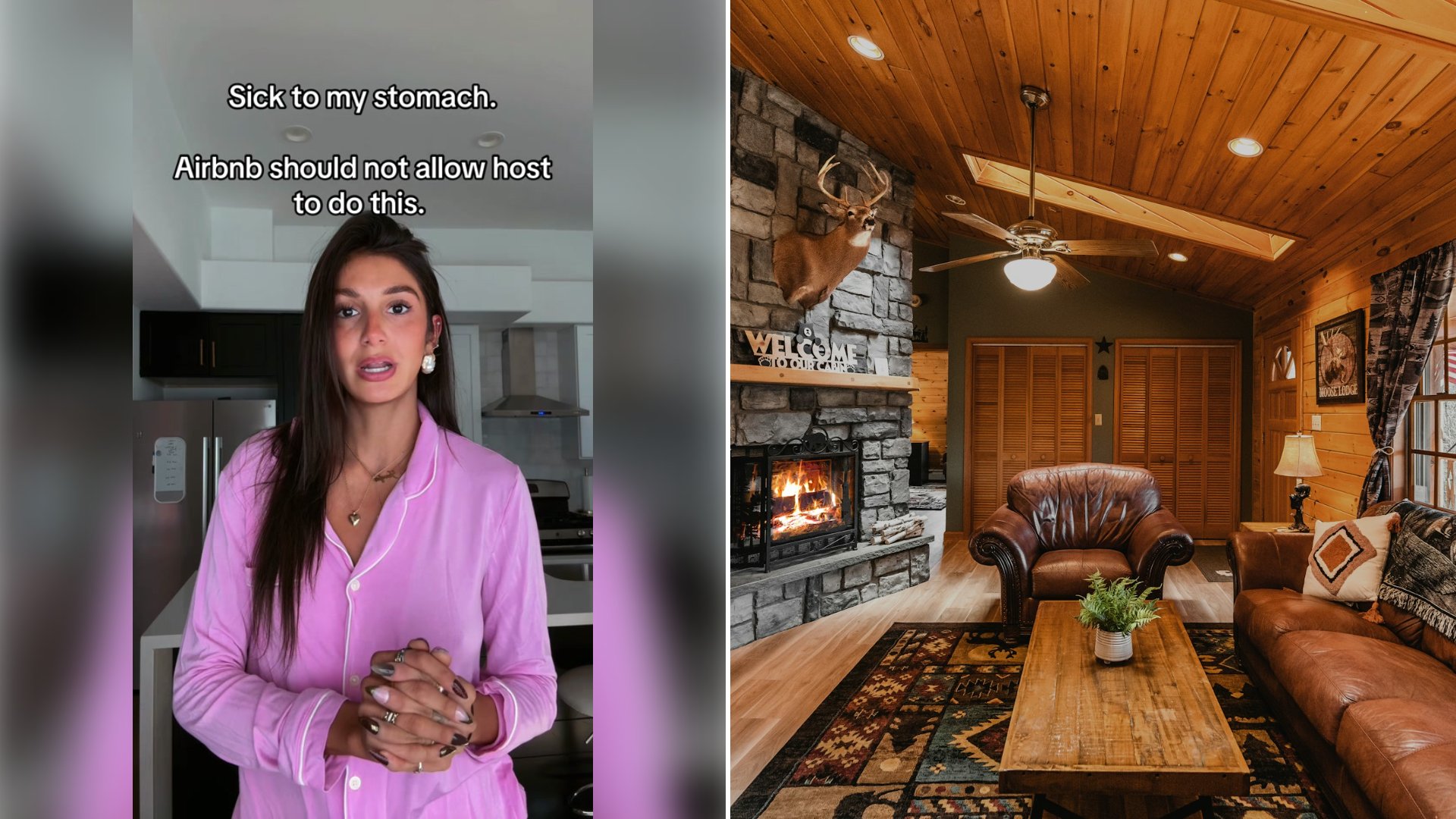
With check in less than 24 hours away, Jazzy G (@jazzyg1711) sent her Airbnb host a message she later put on screen: “I rented a house that is advertised to sleep 13 and you are saying it can only accommodate 1 person, can you please issue a refund then.”
The house was for a weekend she says she built around her mother, who died July 10. In a TikTok posted October 2, she explains that her mother had her sign up for a half marathon in St. George before she passed, that the race was the next morning, and that she wanted the family and friends traveling to support her “to be in one place” without paying for their own rooms. She and her brother split the cost, which she gives as $1,400 for two nights.
The listing she shows on screen reads “13 guests · 5 bedrooms · 20 beds · 5 baths.” Out loud she describes it as advertised for 20 people and 13 beds, and a text correction on the video reads “13 people 20 beds *** I had 13 !!” She says she rarely uses Airbnb and did not know that search settings can reset when you leave the app. “I was looking at options, I had it set,” she says. According to the host’s reply as she relays it, the reservation was entered with a guest count of one.
Minutes after she booked, she says, the host sent a link asking her to confirm the guest count and pay a security deposit. The page she shows, reached through an Airbnb warning screen stating that “all payments should be made directly on the Airbnb site or app,” asks for a “$500.00 refundable security deposit” and says check in information “may be withheld until you complete this step.” She did not pay. Because the guest count sat behind the same link, she says, she never confirmed that either: “I didn’t realize that that was an issue.”
She messaged the host asking for a phone call. One message visible in the video says she was “super stressed,” that her mother had just died and that she was “super lost and confused on what the next steps are.” She also contacted Airbnb, which she says told her hosts “are not allowed to request additional money outside of the platform.”
Then, by her account, a week and a half passed with no reply. The host’s answer arrived the day before check in. On screen it reads, “There is no security deposit required for your stay,” and she says it asked again for the guest count. She answered 13.
The host declined. In the messages shown in the video, the host writes that she is “not able to approve 13 adults + 2 children for this reservation” and is “happy to host your reservation as it is currently confirmed through Airbnb.” Asked “Even if I pay more?” the host replies, “Unfortunately, no. This isn’t a matter of additional payment.” A later message counts “15 total guests,” says “I am not canceling your reservation” and points her to Airbnb for “cancellation/refund options.” A note the creator added on screen says the host’s link told her “kids under 2 didn’t count,” and one of her last messages says people had dropped out, “so now there is only 10 of us.”
By then, she says, the host told her the cancellation policy ruled out a refund. Her answer in the video is that the window closed “because you waited a week and a half.” With check in at 4 p.m. that day, she contacted Airbnb again and says she was told a refund was at the host’s discretion.
She says she then read further into the listing’s reviews, past the star rating she had relied on, and now believes the same thing happened to two or three earlier guests. She puts her loss at about $3,000: the $1,400 plus a second house for everyone. The text over the opening of the video reads “Sick to my stomach. Airbnb should not allow host to do this.” The video carries no response from Airbnb or the host beyond the messages she chose to show.
Before Paying for a Group House, Match Three Numbers
Her screenshots show three different counts in play: 13 guests on the listing, 20 beds in the listing, and one guest on the reservation. On the final booking screen, read the guest line before you tap to pay and compare it with the listing’s guest maximum, not its bed count. Count every person who will sleep there, children included. Her note says the host’s form excluded children under 2, while the host’s message counted “13 adults + 2 children” against the listing.
Right after booking, open the reservation, screenshot the guest count and the cancellation deadline, and put that deadline in your calendar. If the count is wrong, ask the host in the app thread to correct it that same day, while the cancellation window is still open.
If a host sends a link that leaves the platform and asks for money, stop at the warning screen she showed and message Airbnb support before entering a card. She says Airbnb told her the deposit request was not allowed, and the host later wrote that none was required.
Keep the guest count separate from any deposit argument. Type the number of adults and children straight into the message thread the day you book, even if you are refusing the link it came with. In her account, the unpaid deposit and the unconfirmed guest count were stuck on the same form for a week and a half.
If the host stops answering and the free cancellation date is close, contact Airbnb before that date and ask for the open question to be noted on the reservation. Save the listing page, the booking confirmation, the outside deposit page and the full message thread with time stamps.
More from Willow and Hearth
- Vacation Rental Hosts Are Starting to Charge a Refundable Damage Hold on Top of the Cleaning Fee and Guests Say the Charges Keep Multiplying
- Traveler Confronts Their Airbnb Host After Discovering He’s Secretly Living in a Hidden Room on the Property
- Airbnb Host Reveals the Damage Left Behind After Guests Trashed the Property and Canceled on Him
Leave a Reply